Shake-to-toggle flashlight for fast, hands-free illumination
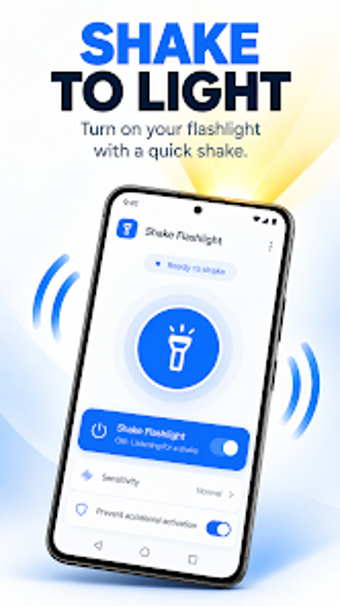
Shake Flashlight: Quick Light toggles the device LED using a shake gesture, turning illumination on or off without navigating menus or unlocking the phone. Developed by SugarStudios for Android utilities, the app targets quick-access and emergency scenarios. It offers adjustable shake sensitivity, lock-screen activation, and a manual test button for verification. The app fits users who need immediate light from their phone with minimal setup and no account required.
What does the app do and how does it activate the light?
The app uses the phone accelerometer to detect a shake gesture and then toggles the camera LED, so a single motion turns the flashlight on or off. Shake-to-toggle is the primary control method, while a manual toggle inside the app serves as a fallback. It requires camera/LED and accelerometer permissions to operate, and the lock-screen activation works when enabled.
Does it affect device performance during background operation?
Background operation is described as lightweight and optimised for battery efficiency, so the app keeps a low system footprint while listening for motion. In addition, adjustable sensitivity helps reduce unnecessary wake events by requiring a deliberate movement. The developer notes the app runs in the background, which implies continuous sensor monitoring rather than one-off scans.
Is it safe and practical to use on a locked device?
The tool can activate the flashlight while the screen is locked, provided the lock-screen feature is enabled; this removes the unlock step in urgent situations. Sensitivity calibration and a manual test button aim to prevent accidental activations in pockets, and no account or setup flow is required, which keeps permission scope limited to the sensors it needs.
Clear specialist choice for users needing immediate, no-friction light
Shake Flashlight suits anyone who values a single-motion shortcut to the LED and prefers a small, focused utility over larger toolsets. Expect reliable gesture activation and a brief, guided setup; note that ads appear during initial configuration for some users. Use the sensitivity slider and the in-app test before relying on it in emergency situations.